


|
Name |
Switch Access Pro |
|---|---|
|
Google Play Link |
GET IT ON
Google Play
|
|
Category |
Tools |
|
Developer |
Google LLC |
| Last version | 1.17.0.892789133 |
|
Updated |
|
|
Compatible with |
Android 8.0+ |
Introduction to Switch Access Pro APK
Switch Access Pro is a mobile accessibility app designed for Android devices. It belongs to the utility and assistive tools category. The app helps users control their phones or tablets without relying on touch input, making everyday navigation possible through switches or facial movements.
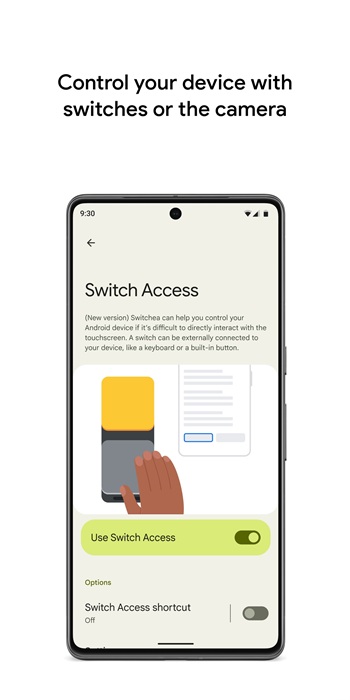
The main purpose of this app is to support people who have limited physical interaction with touchscreens. It allows users to select items, scroll pages, type text, and move through menus using external switches, built-in buttons, or the device’s front camera. Everything runs at the system level, so it works across most apps.
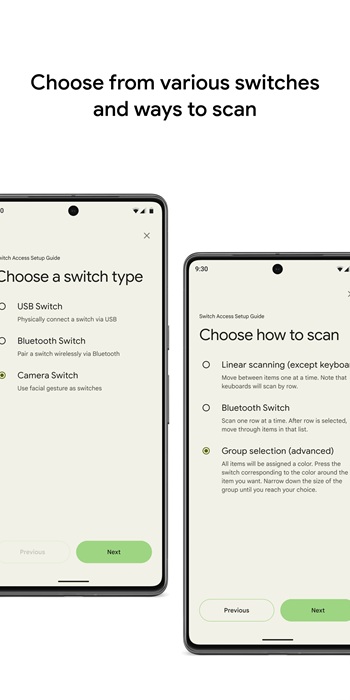
One of the core features is its flexible scanning system. The app highlights items on the screen in different ways, such as moving one item at a time, scanning rows and columns, or using crossing lines to pinpoint a location. Color-based group scanning is also available, which reduces the number of actions needed to reach a target.
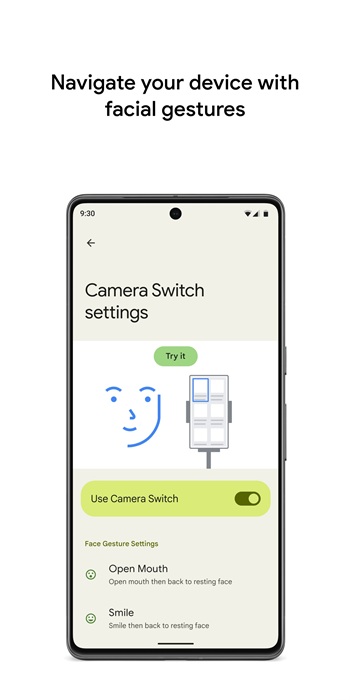
Switch Access Pro also supports camera-based controls. Users can trigger actions by smiling, opening their mouth, or moving their eyes in specific directions. Sensitivity and timing settings help adjust these gestures to match real-world comfort and accuracy, which matters during long daily use.
Another useful function is gesture recording. Users can save complex touch actions like swipes, pinches, or double taps and assign them to a single switch. This makes repetitive tasks quicker and reduces physical strain during reading, browsing, or app navigation.
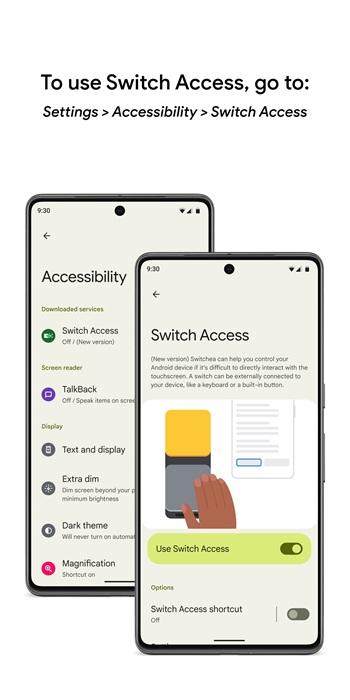
There are some limitations to keep in mind. Initial setup can take time, especially for users new to accessibility tools. Camera switches may struggle in low light or crowded environments. The app also requires accessibility permissions, which some users may find intrusive, even though they are necessary for full functionality.
This app is most suitable for users with motor impairments, temporary injuries, or conditions that make touch input difficult. It can also help caregivers setting up accessible devices for others. Situations that involve hands-free control or reduced movement benefit the most from this tool.
FAQs Switch Access Pro
What is Switch Access Pro?
+
Switch Access Pro is an Android accessibility app that lets users control their device using physical switches or facial gestures instead of touch input.
Who should use Switch Access Pro?
+
It is designed for users with limited motor control, temporary injuries, or anyone who needs hands-free or reduced-touch navigation.
Does Switch Access Pro work with all apps?
+
It works at the system level, so most installed apps can be navigated using its scanning and selection methods.
Can I use my phone’s camera with Switch Access Pro?
+
Yes, the app supports camera-based controls like smiling or eye movement to trigger actions on the screen.
Is Switch Access Pro difficult to set up?
+
Setup takes some time, especially when customizing switches and gestures, but the settings allow detailed control once configured.
Discover More Interesting Apps
-
 Mod
Mod
Panda Gamepad Pro
v14.2
25.00 Mb
Updated -
Mod
Auto Cursor
v1.12.1
8.08 Mb
Updated -
Mod
Space Micro Panel
v2.1
33 MB
Updated -
Mod
Playstore App
v52.9.21-24 [0] [PR] 968642861
106020565
Updated -
Mod
NetherSX2 Emulator
v1.0.0
27794177
Updated -
Mod
LITRON VPN
v3.5.9
33.75 Mb
Updated -
Mod
Side Bar
v2.21
6.27 Mb
Updated -
Mod
Tevi
v3.36.9
178.82 Mb
Updated -
H4X Macro Game Booster Pro
v6.2.8
12.00 Mb
Updated -
App Hider
v3.16.1_be89ad4bd
35.86 Mb
Updated










Share Your Thoughts